Word-by-word captions
Word-by-word captions mark the word being spoken right now — with a pill behind it, a colour change, or by showing that word alone. The effect only works if every word is timed to the voice.
Download on the App StoreHow it looks, frame by frame
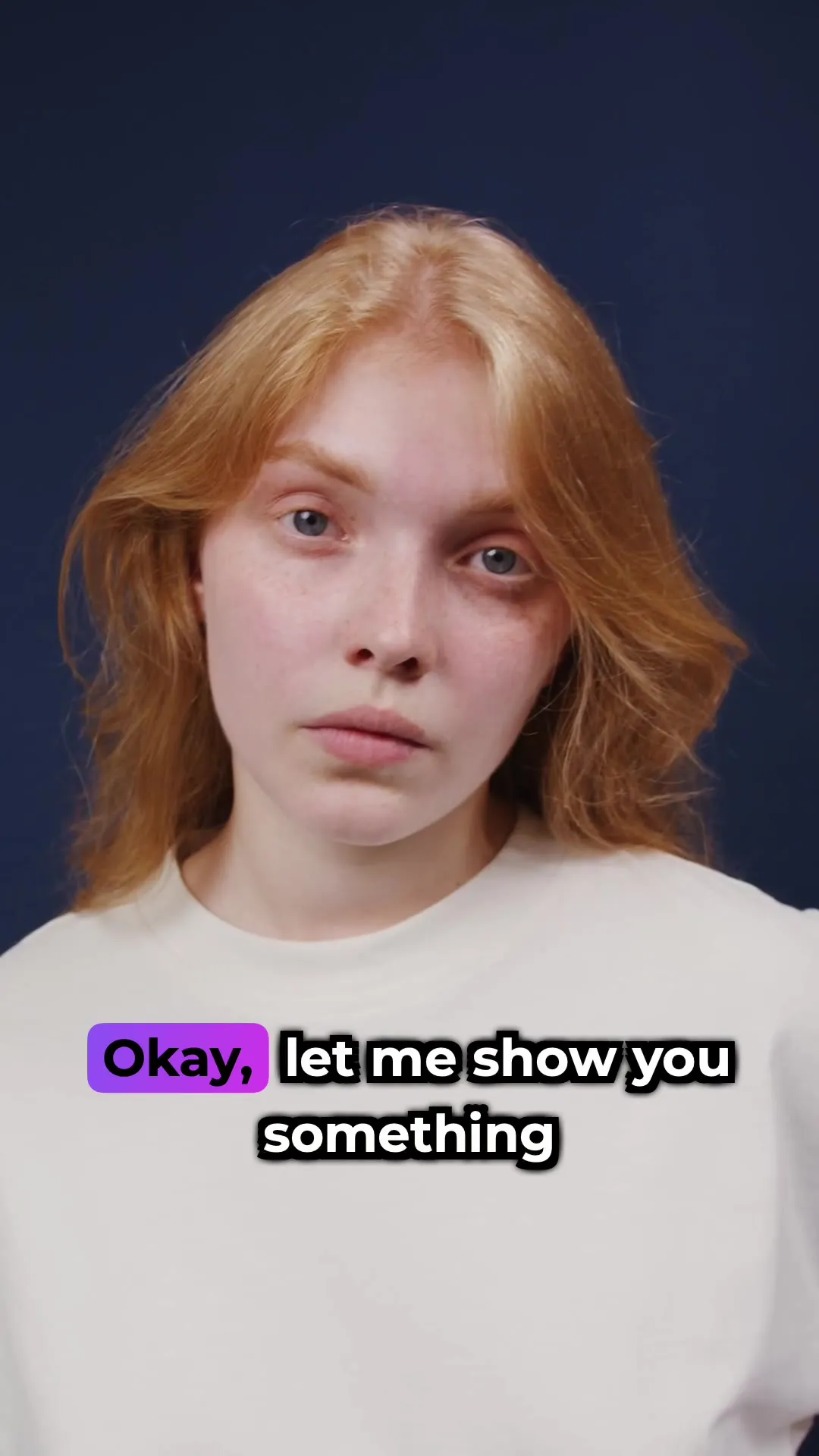
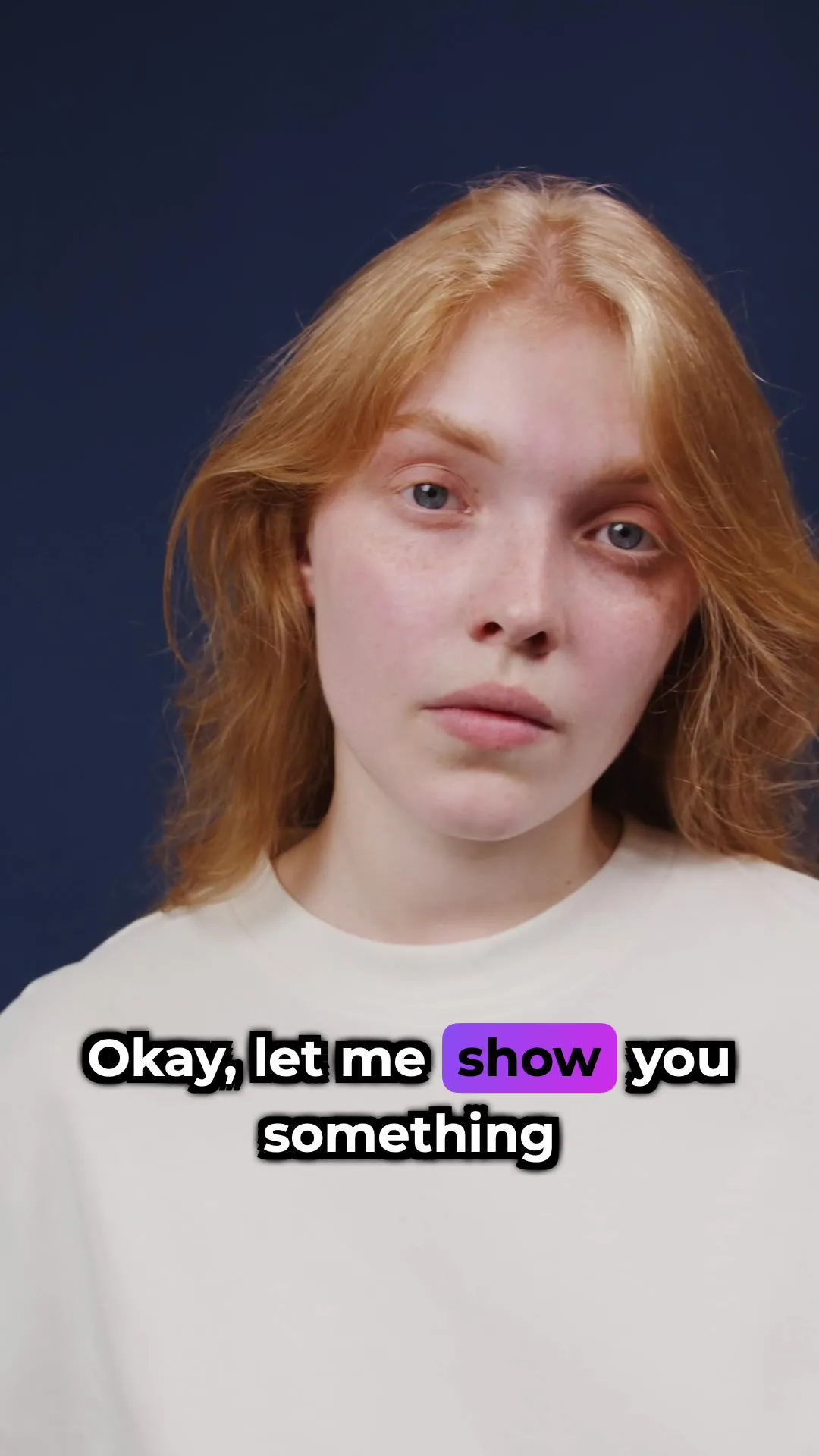
Three moments from one line, exported with the Highlight style. The pill moves to each word as it’s said.

Three ways to mark the spoken word
The same instant of the same line, in three styles.


Why word-level timing matters
A highlight that runs ahead of the voice or lags behind it is worse than none: the eye follows the highlight, the ear follows the speaker, and they disagree. So word-by-word captions need speech recognition that returns a start and end time for every word, not just for every line. Modern speech-to-text models can return those word-level timestamps.
Subtitled uses word-level timestamps from transcription and draws the highlight from them, so each word lights up as it’s said.
Sources
Make word-by-word captions on iPhone
-
Pick the video
Open Subtitled and choose the clip from your camera roll.
-
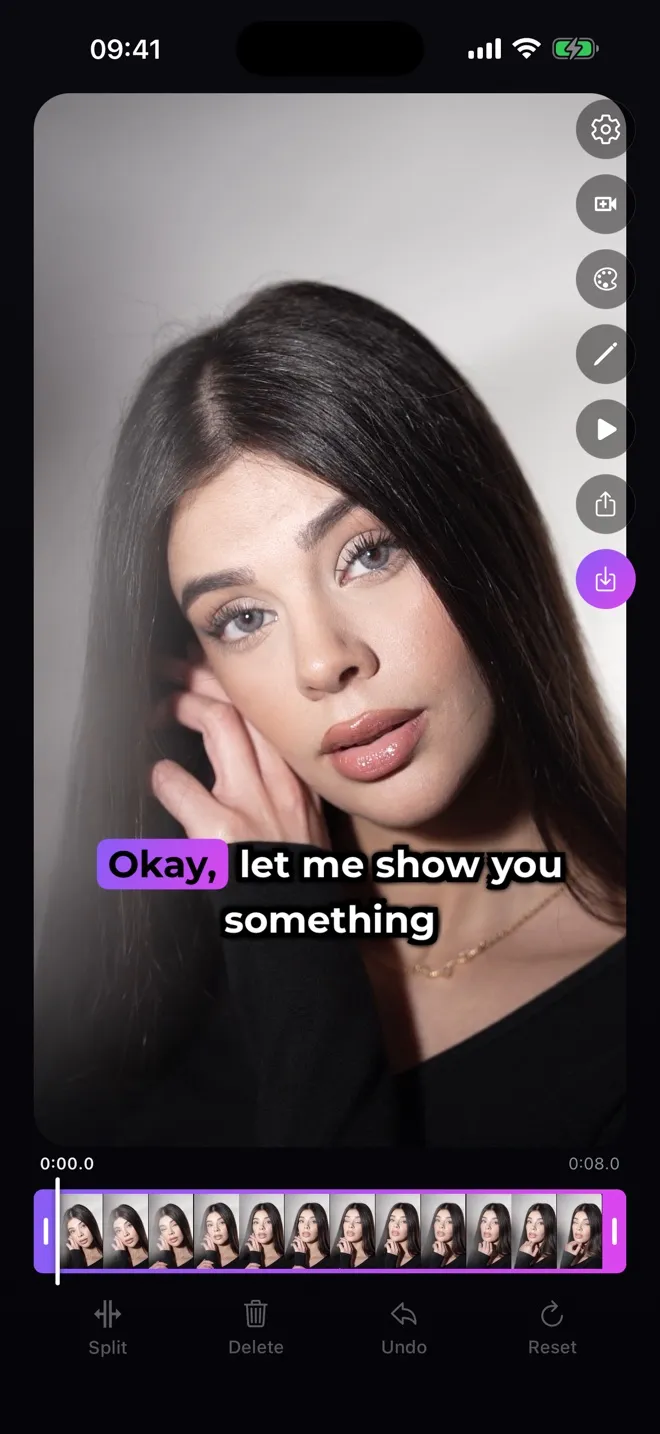
Generate the captions
Every word comes back with its own timing. Edit any line if a word came out wrong.
-
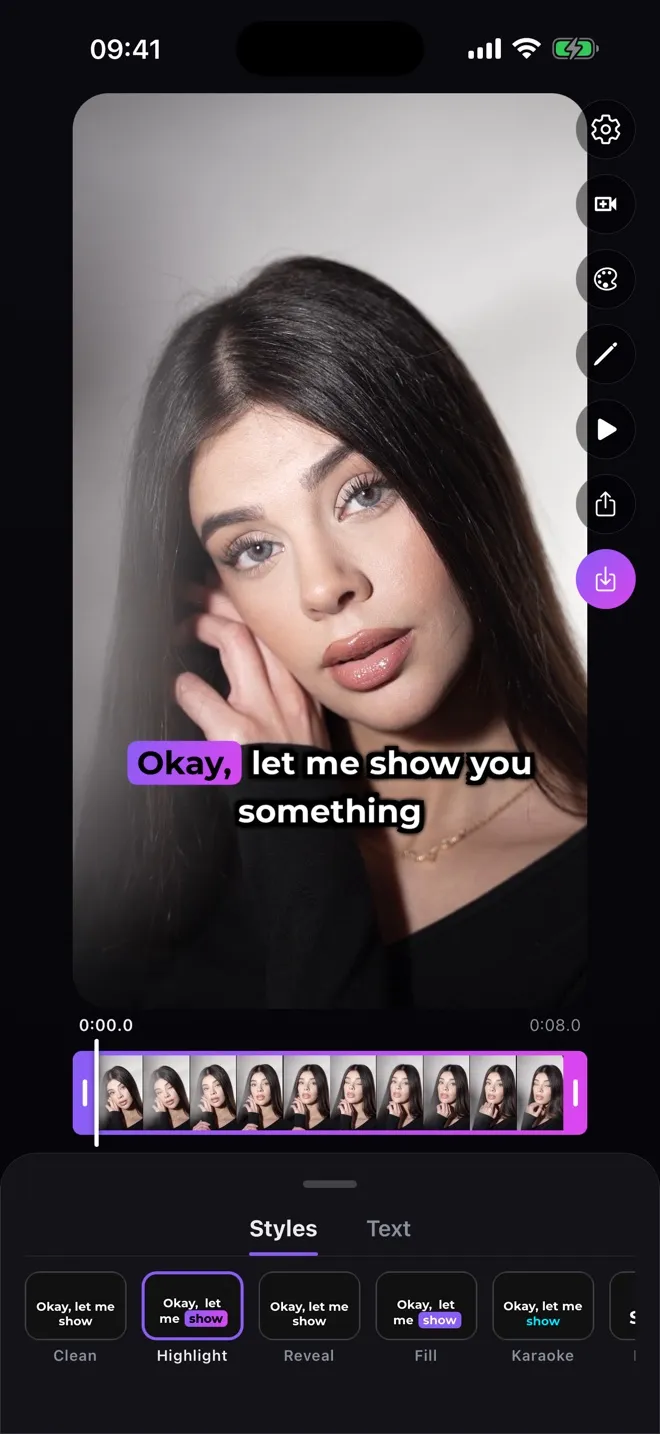
Choose Highlight, Karaoke, Pop or Fill
All of them follow the voice word by word. Change the font and colour in the Text tab.
-
Save and post
Save the video. The captions are burned in, so they look the same on Instagram, TikTok or YouTube Shorts.
Tips
Keep lines short — two lines at most on a vertical video. A long line makes the highlight jump across the screen.
Fix names and unusual words before exporting: a misheard word is highlighted just as confidently as a correct one.