How to add captions to Facebook Reels
A Facebook reel can get captions three ways: Facebook’s auto-generated captions, the Captions tool in the reels composer, or captions burned into the video before you post. Since June 2025 every video you post to Facebook is a reel, so this covers all of them.
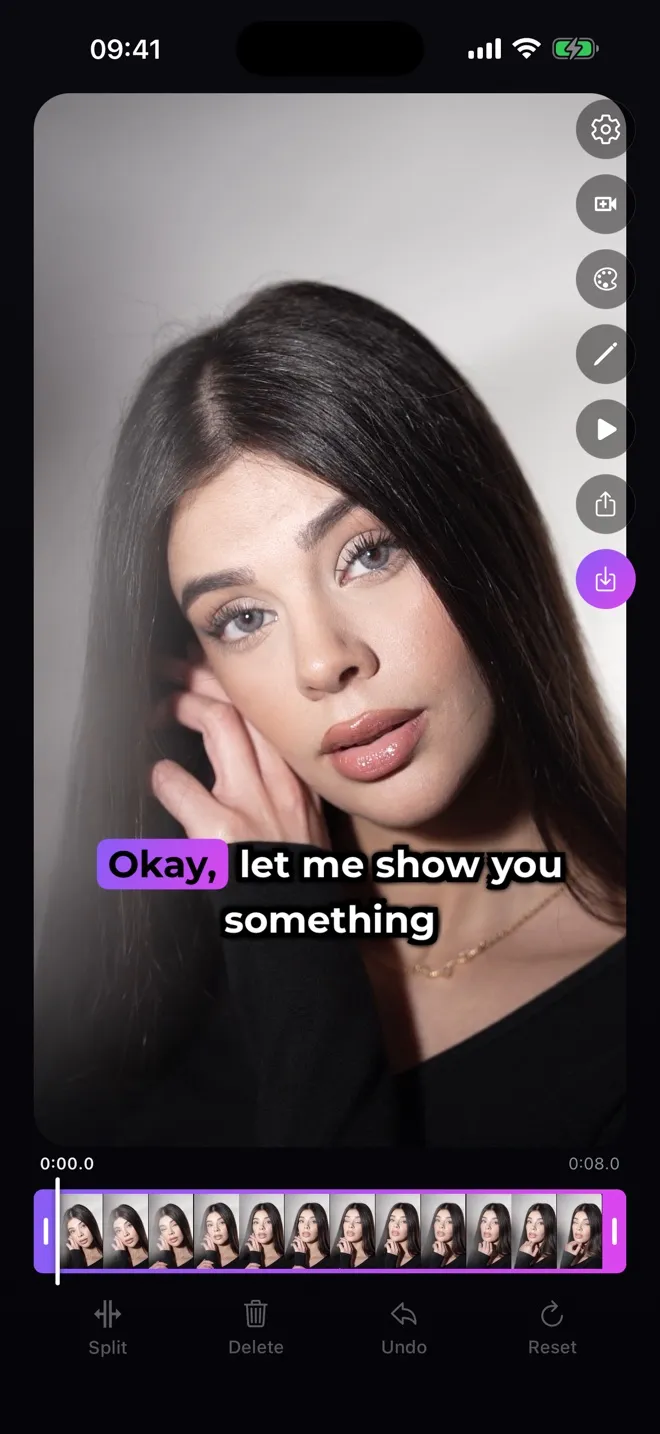
Download on the App StoreWhat burned-in captions look like


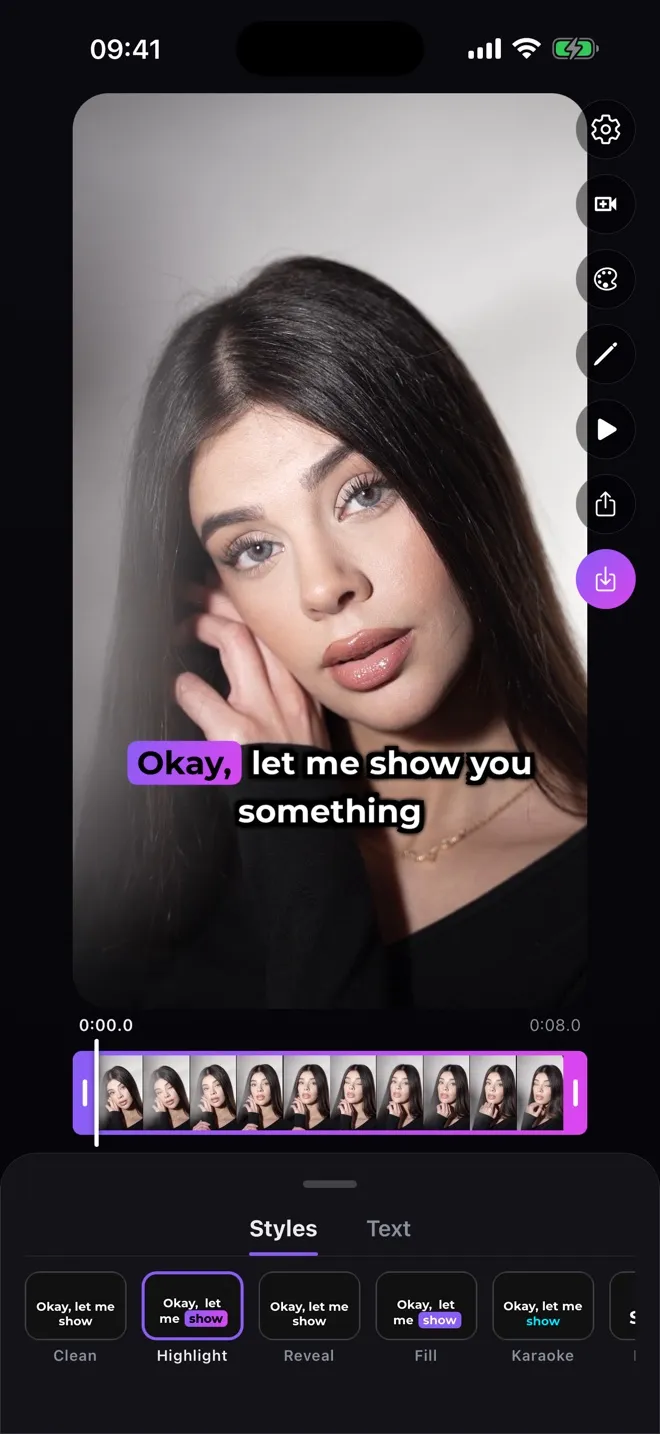
Both frames come from the same clip. The right one is the exported file, rendered by the app — not a mock-up.
Does Facebook automatically add captions to videos?
Yes, for reels posted from a Facebook Page or from a profile in professional mode — on a phone, or on a computer through your Page, professional-mode profile or Meta Business Suite. In those cases auto-generated captions are on by default. You can turn them off for all your reels in your Page or profile settings, or for a single reel when you upload it.
In the same settings you can choose to review and edit the captions before viewers see them. Facebook also gives each set of auto-generated captions an accuracy rating, based on things like sound quality, speech clarity and background noise.
Sources
How do I add captions to a Facebook reel?
In the reels composer: after you add your video, tap Captions. Facebook transcribes the audio and puts it on the reel as a caption; you can change its font and colour with the options at the bottom of the composer, then tap Done.
On a computer you can also upload your own captions as a SubRip (.srt) file: open the video, click Options → Edit post → Edit from composer → Add captions, upload the file and save. Repeat for each language you want to add.
Sources
How do I turn on closed captioning on Facebook?
On a computer: click your profile picture → Settings & privacy → Settings → Media, and switch on Always Show Captions. It only applies to videos you watch on a computer.
On iPhone, Facebook follows the system setting: Settings → Accessibility → Subtitles & Captioning → Closed Captions + SDH. The Style option on the same screen changes how captions look; on a computer, Captions Display lets you set the text colour and size and the background colour and opacity.
Sources
Why are captions not showing on Facebook reels?
Not every video on Facebook has captions. Auto-generated captions are only created for reels posted from a Page or a professional-mode profile, the creator can switch them off, and they need spoken dialogue or a voiceover. On the viewer’s side, captions only appear by default if captions are turned on — and the computer setting doesn’t carry over to the app.
Sources
Translated subtitles on Facebook
Facebook can also auto-generate subtitles so viewers watch in their own language. They cover 11 languages — Arabic (Standard), Brazilian Portuguese, English, Hindi, Indonesian, Spanish (Latin America), Tagalog, Tamil, Telugu, Urdu and Vietnamese — and need a reel with spoken dialogue, auto-generated captions turned on, and no burned-in subtitles.
That is the trade-off of burning captions in: the text is part of the picture, looks the same everywhere and can’t be switched off, but a reel with burned-in subtitles doesn’t get Facebook’s translated ones.
Sources
Burn captions into a Facebook reel on iPhone
-
Pick the video
Open Subtitled and choose the clip from your camera roll.
-
Generate the captions
The app transcribes the speech and times every word. Edit any line if a word came out wrong.
-
Choose a style
Karaoke, Highlight and Fill follow the voice word by word; Clean is plain text.
-
Post without doubling
Save the video and post it as a reel. Facebook checks every uploaded reel for embedded captions and, if it finds them, recommends deleting its auto-generated ones before you publish — do that, so viewers don’t read the same words twice.
Reel length and format
Facebook reels can be any length, in portrait (9:16), landscape (16:9) or square (1:1). For captions people read on a phone, vertical 9:16 gives the text the most room.
Sources