How to add subtitles to a video on iPhone
The iPhone can show captions while you watch, but none of Apple’s iPhone apps will write automatic subtitles into a video file. Here’s exactly what Photos, iMovie, Clips and Live Captions do, and how to add subtitles to a video that’s already in your camera roll.
Download on the App StoreBefore and after


Both frames come from the same clip. The right one is the exported file, rendered by the app — not a mock-up.
Can the iPhone add subtitles by itself?
Photos: no. Its video editor trims, rotates, adds filters and changes speed — there’s no text or captions option.
iMovie: only by hand. You can add animated titles and type the text yourself, but iMovie on iPhone doesn’t transcribe speech.
Clips: Apple’s Clips app could turn speech into on-screen text (Live Titles), but Apple stopped updating it and it hasn’t been available to new users since October 10, 2025.
Live Captions: it transcribes any audio on the phone in real time, in a floating window — but only on screen. Nothing is saved into the video. In iOS 27, Photos and Messages can also show generated subtitles while a video plays (English, iPhone 15 Pro or later); Apple doesn’t say they can be saved into the file.
Automatic captions that end up in the video exist in Apple’s Final Cut Pro — on iPad and Mac, in U.S. English only.
Sources
- Apple Support — Edit videos in Photos on iPhone
- Apple — Add titles in iMovie on iPhone
- Apple Support — Save your Clips videos (Clips no longer available to new users)
- Apple — Get Live Captions of spoken audio on iPhone
- Apple — Display subtitles and captions on iPhone
- Apple — Generate captions in Final Cut Pro for iPad
How do I add subtitles to an existing video?
-
Pick the video
Open Subtitled and choose the clip from your camera roll — any video you’ve already filmed or saved.
-
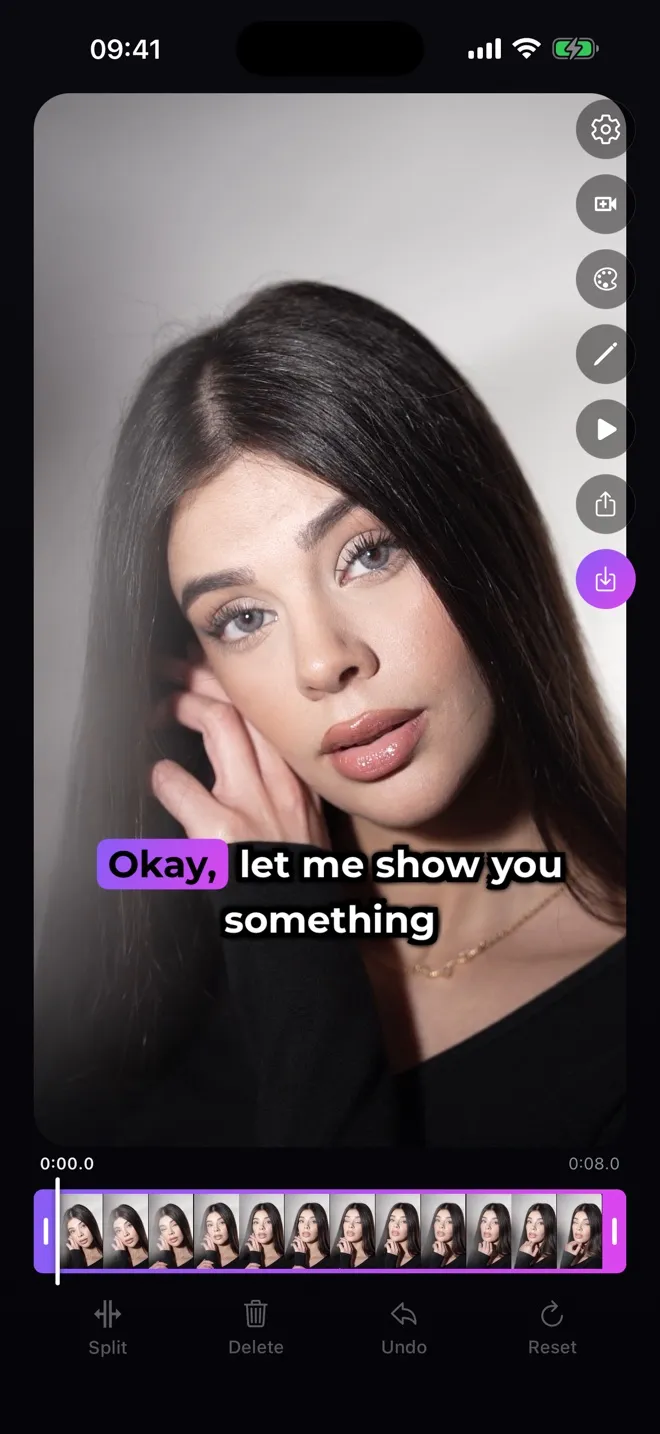
Generate the subtitles
The app transcribes the speech and times every word. Edit any line if a word came out wrong.
-
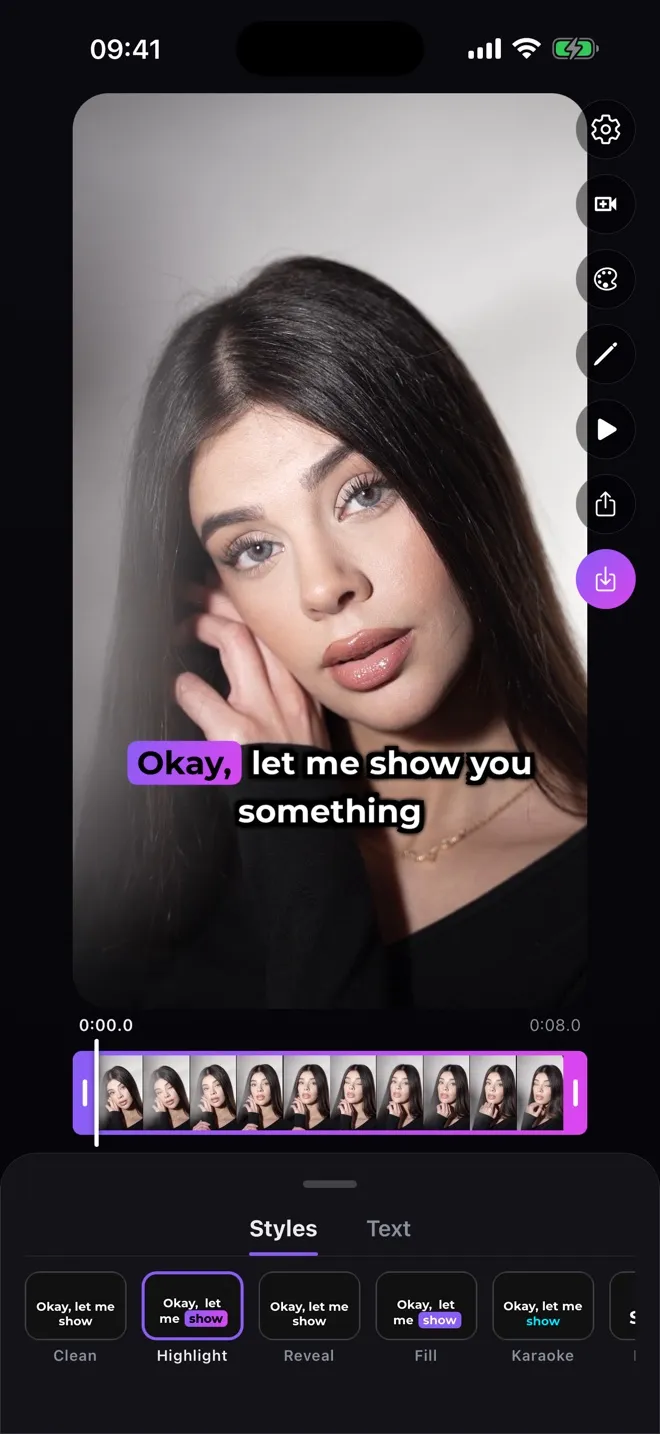
Choose a style
Pick one of seven styles, then a font and a colour in the Text tab.
-
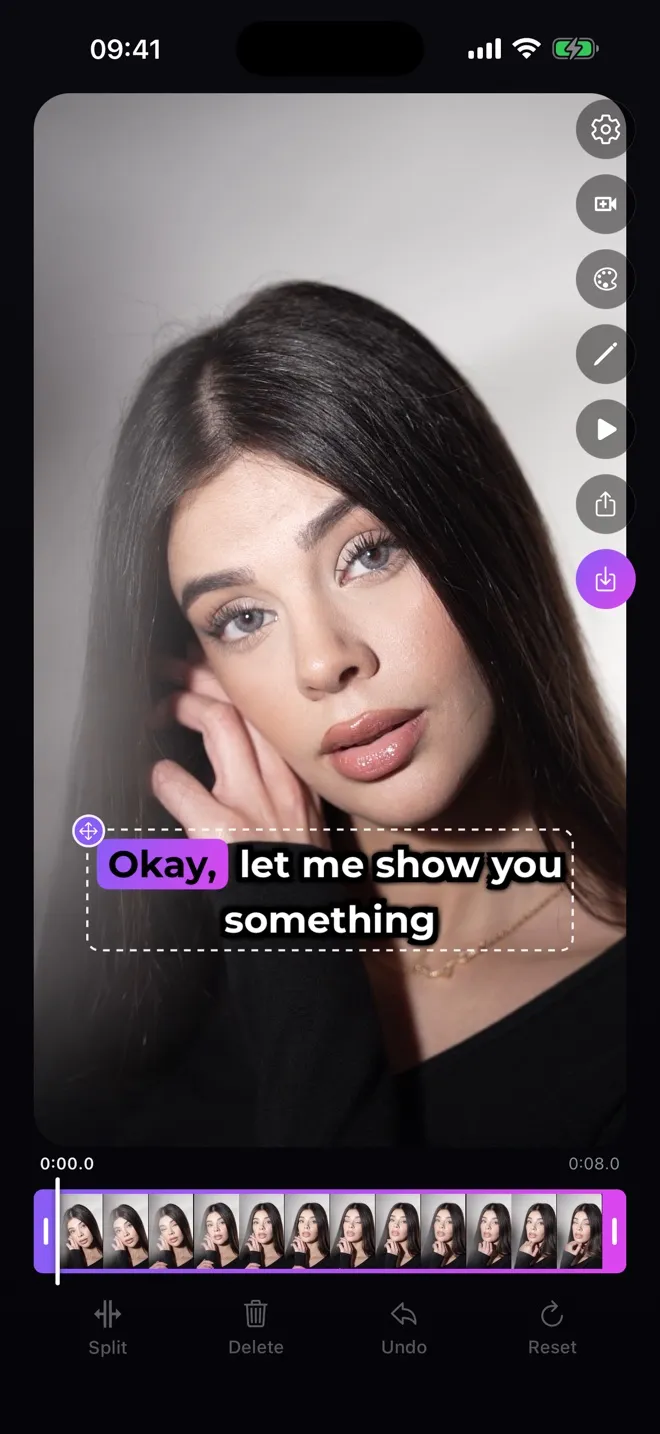
Place the text and save
Drag the subtitle where it reads best, then save the video to Photos. The subtitles are part of the picture, so they play in any app you share it to.
How do I add text onto a video on my iPhone?
For a few words you type yourself — a title or a call to action — iMovie’s titles work. In Subtitled, the editor’s Add text button adds your own line on top of the generated subtitles, styled the same way.
Sources
How do I get subtitles on my iPhone when I watch?
Turn on Live Captions in Settings → Accessibility → Live Captions (iPhone 11 or later) to see any audio transcribed in real time. It works in a set of languages Apple lists on its feature-availability page, and Apple warns accuracy may vary.
To change how subtitles look in apps that support them, go to Settings → Accessibility → Subtitles & Captioning. That only changes existing subtitle tracks — it doesn’t add captions to a video.
Sources