Add subtitles to your stories
Automatically generate, style, and translate subtitles for your vertical videos. Fast, accurate, and free to start.
Download on the App Store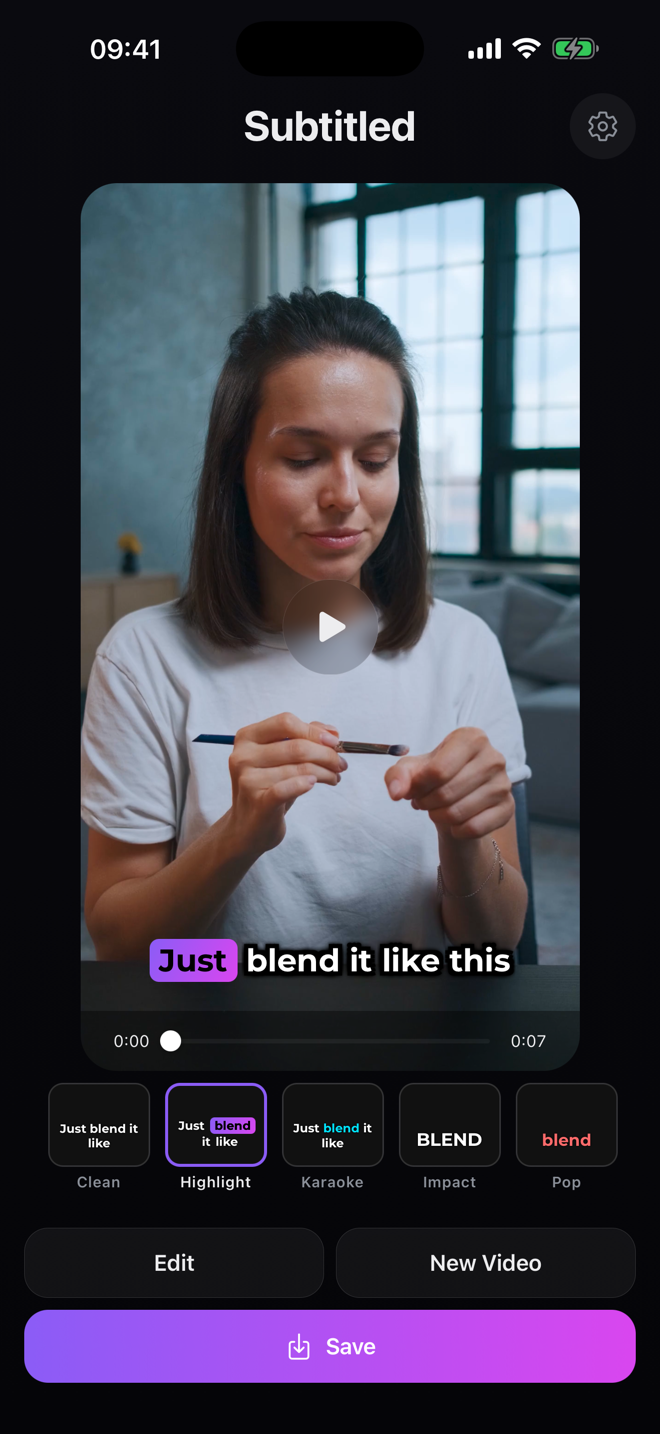
How it works
Pick a video
Select any vertical video from your camera roll or record a new one.
Generate & style
Tap once to transcribe your speech with AI, then pick from styles like Highlight, Karaoke, and Pop.
Share everywhere
Export with subtitles baked in — ready for Instagram, TikTok, or YouTube Shorts.
Free to start
Generate subtitles for free every week. Go Pro for longer videos, more styles, and translation.
Privacy-first
We ask before uploading, transcribe your audio, then delete it right away. Nothing is stored on our servers.
Fast & accurate
AI speech recognition delivers quick, reliable subtitles in seconds.